CloneForce for Business Operations

Run cleaner, faster ops — with AI Clones that keep processes, data, and rituals on track

CloneForce gives Business Operations teams Digital Teammates that orchestrate recurring processes, clean up data, prepare reports, and keep meetings and projects moving. Clones work across your systems—CRM, billing, HR, PM, docs, and chat—so your team can focus on designing better processes and driving outcomes, not chasing status or fixing spreadsheets.
We get it, keeping operations aligned across teams and tools is chaos
Ops teams sit at the intersection of sales, finance, product, HR, and leadership—trying to keep processes consistent while tools, owners, and priorities change constantly. Data lives in silos, updates get applied inconsistently, and every recurring meeting or report requires a fresh scramble. Clone Force routes work to Clones that watch over processes, data, and rituals, so Business Operations can focus on improving the system instead of patching it.
Processes that actually run the way you designed them
Clone Force maps your recurring processes—like onboarding, QBR prep, renewals, and approvals—into playbooks Clones can help execute. They check prerequisites, chase missing inputs, and push tasks into the right tools so steps aren’t skipped. Ops leaders spend less time chasing status and more time tuning the process itself.
Data hygiene and reporting that don’t rely on heroics
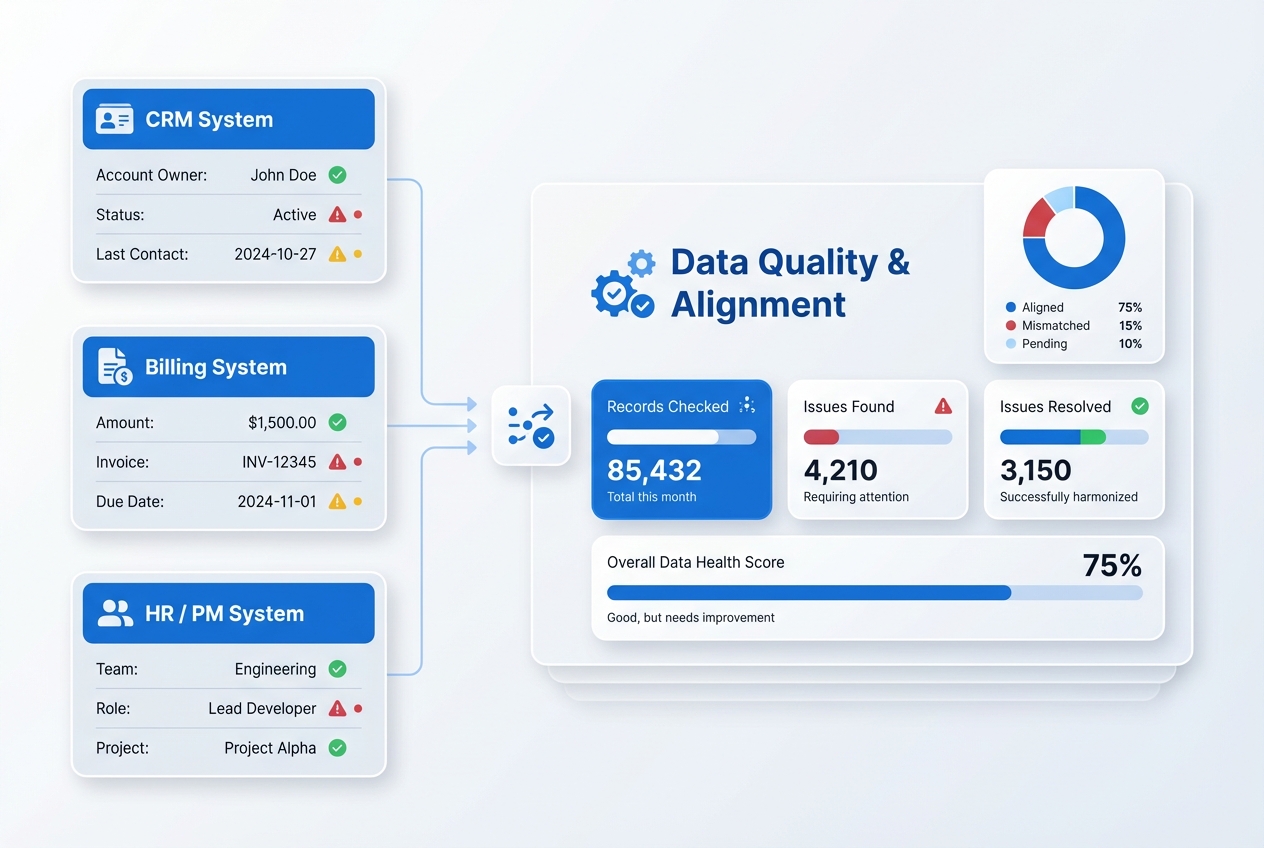
Clones monitor core data sets—CRM fields, billing exports, HR data, project statuses—for missing, stale, or conflicting entries. They flag and propose fixes, log changes, and prepare ready‑to‑use views for recurring reviews. Instead of rebuilding reports every cycle, Ops teams start from clean, consistent data.
Meeting rhythms that produce decisions, not more follow‑ups to track
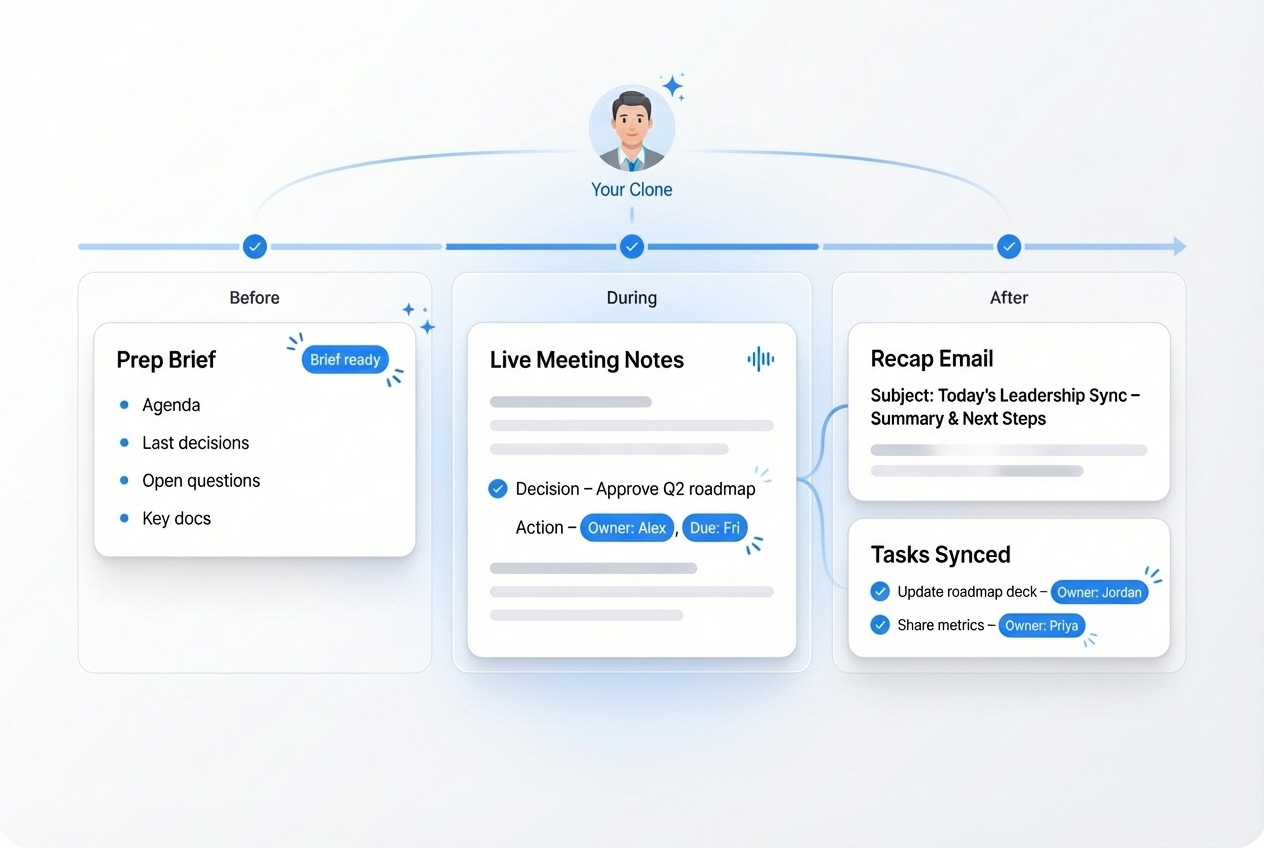
For forecast reviews, pipeline checks, ops councils, and QBRs, Clones assemble briefs, capture decisions, and track follow‑ups. They generate short summaries and push owners/dates into your task tools so every meeting leaves a trail of accountable next steps—without an Ops person wrestling notes every time.

Run every ops ritual with operator‑led playbooks
Business Operations Clones plug into your existing tools and rituals. They understand your key processes, data sources, and review cadences, then orchestrate reminders, checks, and prep work behind the scenes. Ops teams define the playbook; Clones help execute it consistently in Slack/Teams, email, PM tools, CRM, and spreadsheets.

End‑to‑end support for recurring business processes

Your Clone helps define and run structured workflows for things like quarterly planning, headcount approvals, renewals, and KPI reviews. It checks for required inputs, pings owners when something’s missing, updates tracking sheets and systems, and assembles snapshots before each touchpoint. Processes stop living in someone’s head and start running predictably, with fewer dropped steps.
Cross‑system data quality and alignment
Clones watch for inconsistencies across your core systems—CRM vs billing vs HRIS vs PM. They flag mismatched owners, missing fields, or misaligned statuses and suggest safe updates. Ops teams get prioritized data‑quality queues and simple views of “what to fix” before critical reviews or audits.
Ops reporting and dashboards pre‑assembled
Instead of building the same decks and dashboards by hand every month or quarter, Clones pull metrics from your BI tools, CRM, and finance systems into draft reports. They highlight trends, anomalies, and gaps, and propose slides or narratives for leadership, QBRs, and ops reviews—ready for Ops to refine, not rebuild.
Stakeholder and dependency coordination
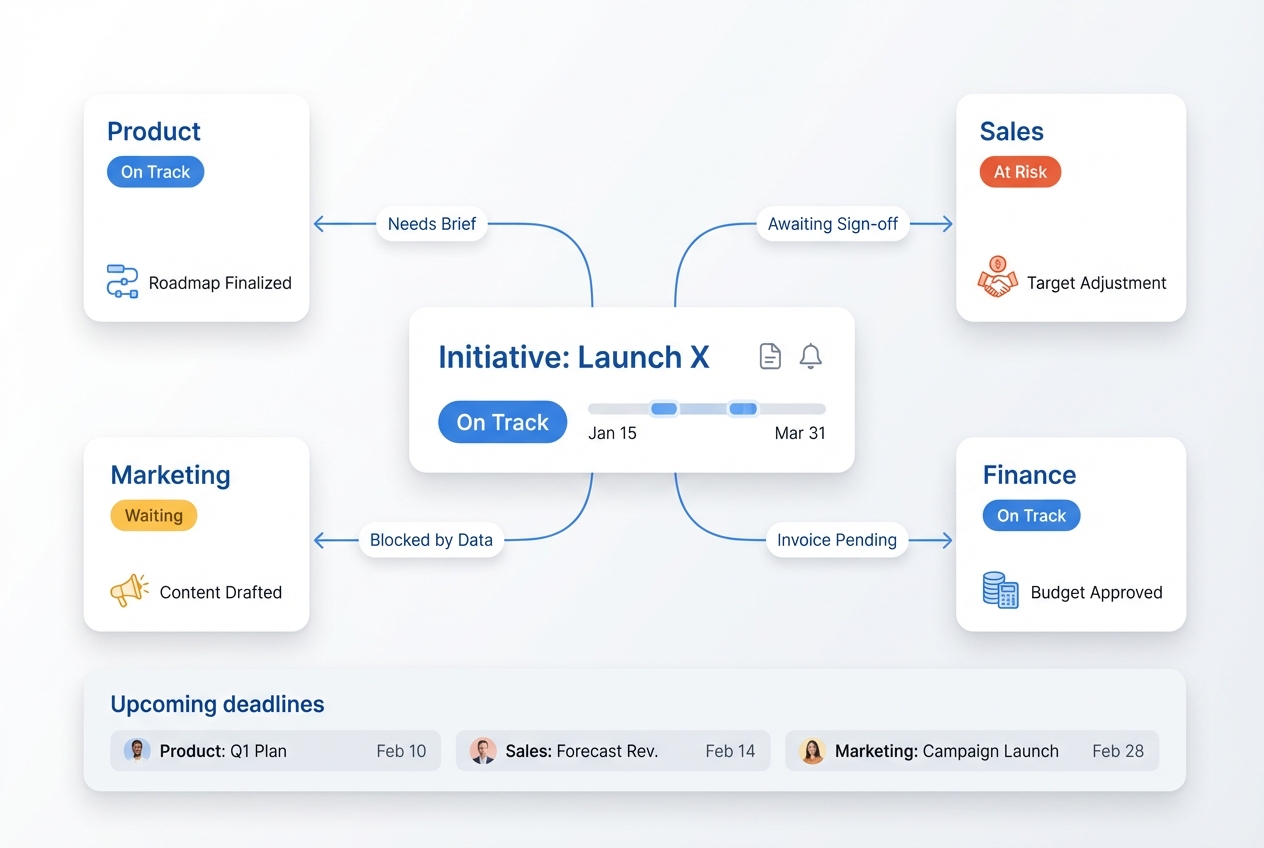
Business Operations Clones keep track of who needs to do what for each initiative—cross‑team dependencies, deadlines, and approvals. They send targeted nudges, surface blockers ahead of key dates, and prepare lists of risks and asks for steering meetings, reducing last‑minute surprises.
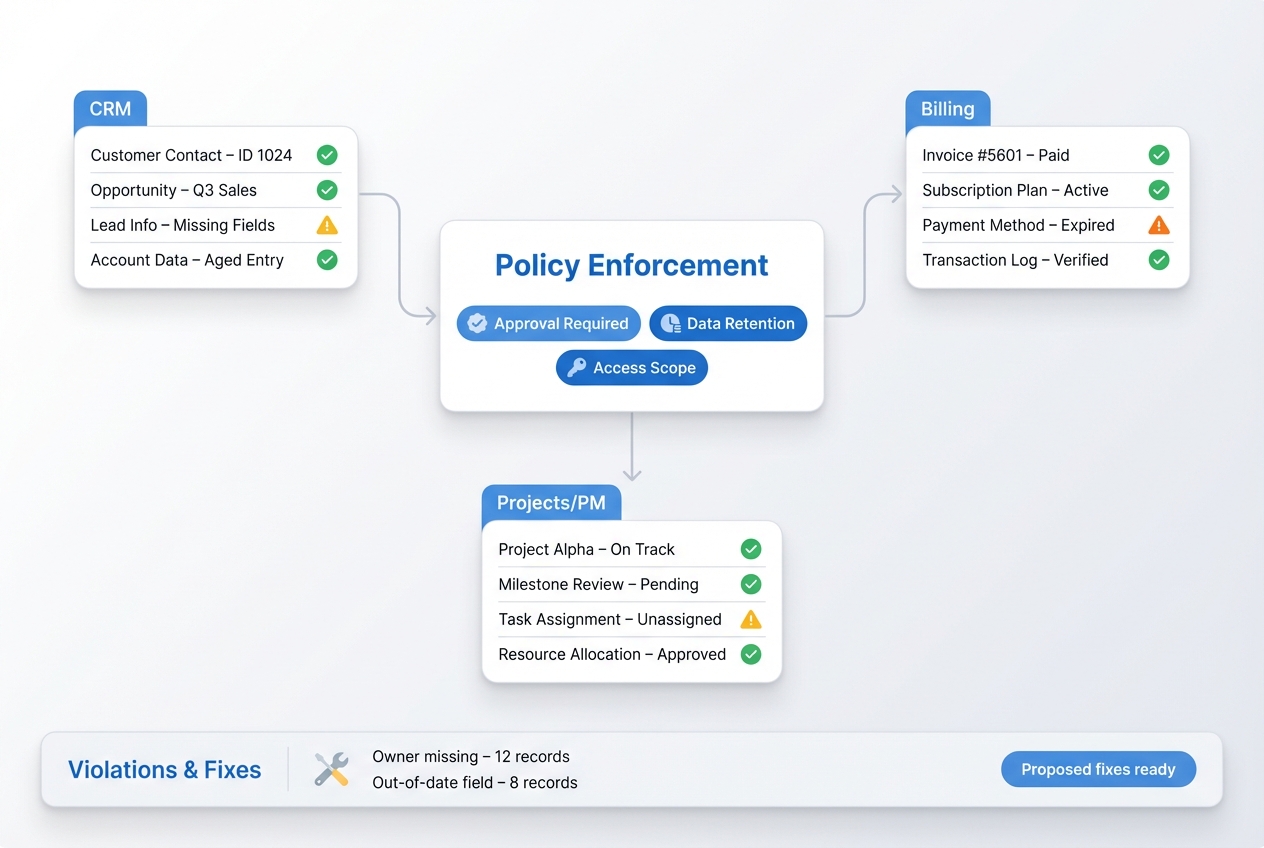
Policy and playbook enforcement
When you update a policy or playbook, Clones help ensure it’s applied consistently. They draft communications, adjust checklists and templates, and flag records or processes that don’t match the new standard—turning “we changed this in Confluence” into actual behavior change.
Your business operations stack, connected
Ops Clones work where your company already runs—chat, email, CRM, PM, finance, HR, and BI. Connect your stack once, and Clones help keep processes, data, and reporting aligned without asking teams to change their tools.
Featured connections shown. Browse dozens more in the Skills Marketplace
Want to Learn More?
You have questions, we have answers. What can your Digital Teammates do for Business Operations?
Ready to scale Customer Success & Support with Clones?
See how Customer Success & Support Clones can keep notes, health, tickets, and QBRs under control—so your team can spend more time building relationships and driving renewals.
Contact Us