CloneForce for Microsoft 365 (Outlook, Teams, SharePoint)

Stay ahead of threads, meetings, and docs — with AI Clones that work inside Microsoft 365

Microsoft 365 + CloneForce gives you Digital Teammates that live in Outlook, Teams, and SharePoint. Clones triage email, prepare and recap meetings, organize team workspaces, and assemble briefs from your content—so your org can focus on decisions and delivery instead of digging through inboxes, channels, and sites.
We get it, living in Outlook, Teams, and SharePoint can feel like living in three different worlds
In Microsoft 365, critical context is spread across Outlook threads, Teams channels, and SharePoint sites. Important requests get buried, meetings happen without prep or follow‑through, and nobody has time to keep content hubs tidy. Microsoft 365 + CloneForce routes this work to Clones that triage, summarize, and organize directly in your 365 environment—so people stay in their familiar tools while getting enterprise‑grade leverage.
Run communications and collaboration from a single, organized view
CloneForce centralizes what matters across Outlook, Teams, and SharePoint. Clones create focused views of key threads, channels, and pages for each initiative or leader, and maintain “Briefs & Recaps” sites that link out to the right content. Instead of guessing which inbox or team holds the answer, you open one workspace that surfaces the signal.
Clones learn your tenants, teams, and work patterns
Connect your tenant and define which mailboxes, Teams, and SharePoint sites matter. Clones learn who you collaborate with, how you structure channels and sites, which threads you jump on quickly, and how you like your updates formatted. They respect tenant boundaries, SharePoint permissions, and channel membership while adapting to your naming, tagging, and filing conventions.
Clones do the triage, prep, and summaries—accurately, fast, in context
Ask and it’s handled: “Summarize this Teams thread and draft an update,” “Prep me for tomorrow’s calls,” or “Collect all docs for this project into one SharePoint page.” Clones read across Outlook, Teams, and SharePoint, generate drafts and briefs, and keep workspaces tidy so your team can act instead of search

Run every 365‑based workflow with operator‑led collaboration playbooks
Microsoft 365 + CloneForce lets Clones operate as digital teammates in Outlook, Teams, and SharePoint. They listen to messages and events, understand your projects and roles, and run playbooks that keep communications, meetings, and content aligned without forcing anyone to leave Microsoft 365.
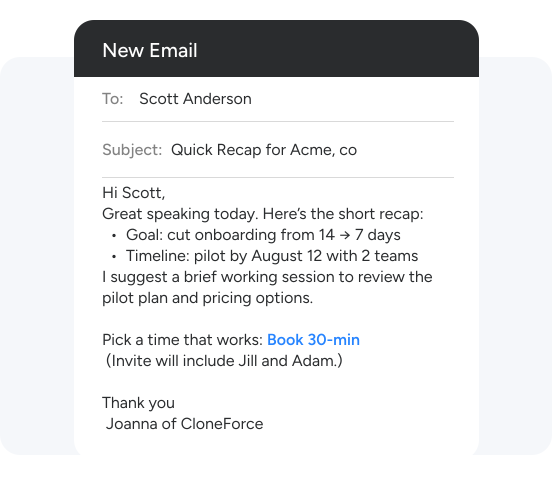
Outlook triage & drafting playbooks
Clones help keep Outlook manageable by categorizing and prioritizing email based on your rules and behavior. They group messages into “Urgent”, “Needs Reply”, “Delegated”, and “FYI”, summarize long threads, and draft replies in your tone. For common workflows—approvals, introductions, status updates—they reuse patterns so you’re mostly editing, not composing from scratch.
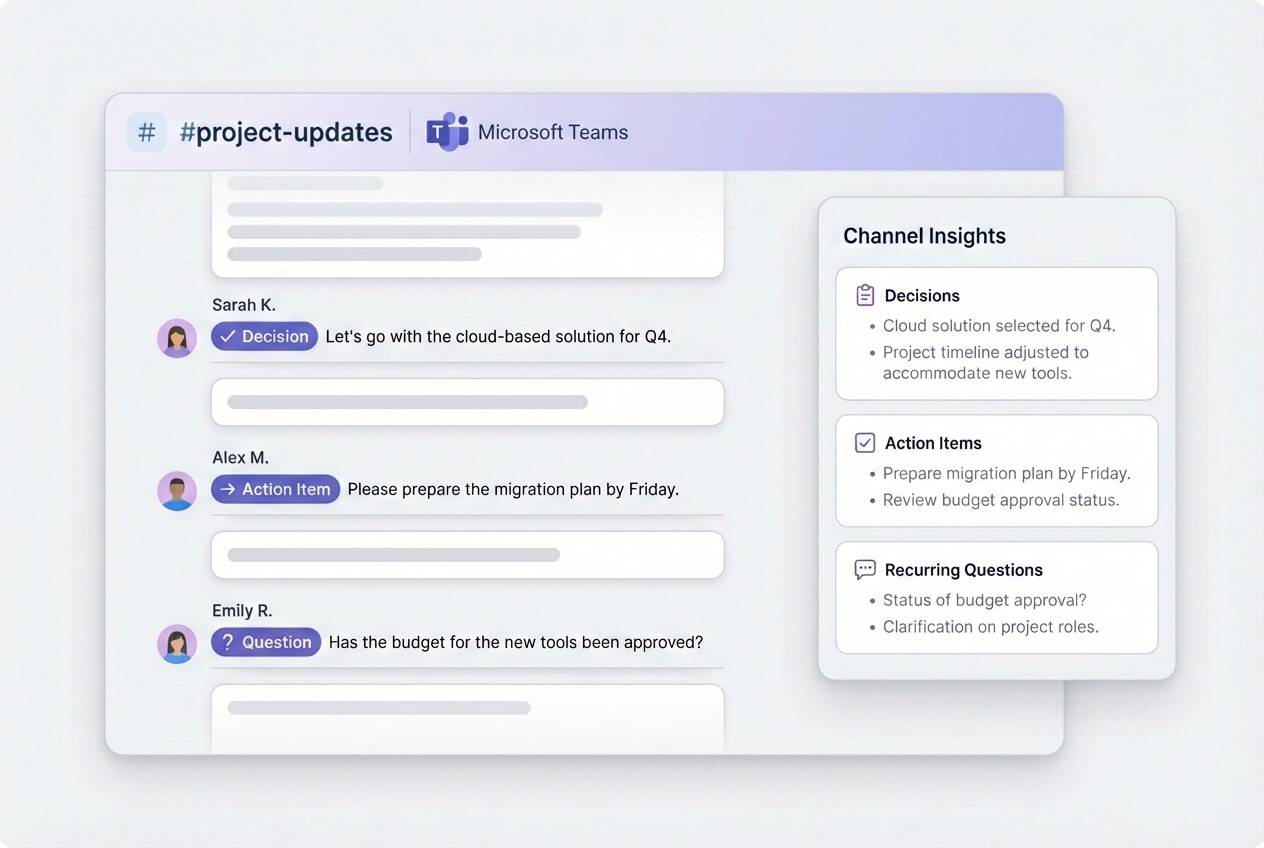
Teams channel summaries & action extraction
Clones monitor Teams channels for decisions, action items, and recurring questions. They produce channel digests, highlight unresolved requests, and draft summarized posts for leadership or cross‑functional groups. They can convert mentions and “to‑dos” into tasks in your PM tools, reducing the chance that important items get buried in chat.
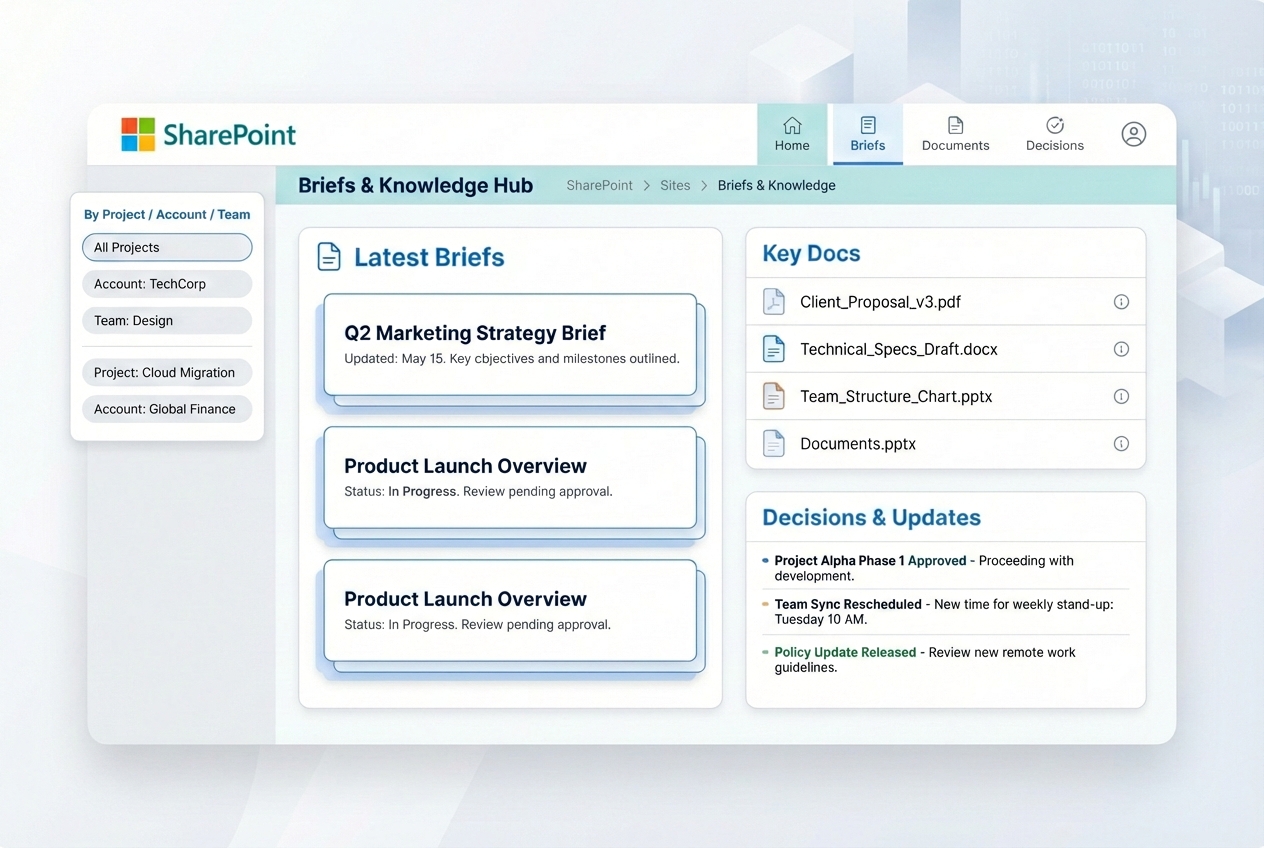
SharePoint‑powered briefs & knowledge hubs
Clones organize SharePoint sites around projects, accounts, or initiatives, creating and updating hub pages that collect briefs, recaps, and key docs. They maintain links to the most relevant files, notes, and dashboards, and update “What’s new” and “Decisions” sections based on Outlook and Teams activity—turning SharePoint from a file graveyard into a living knowledge base.
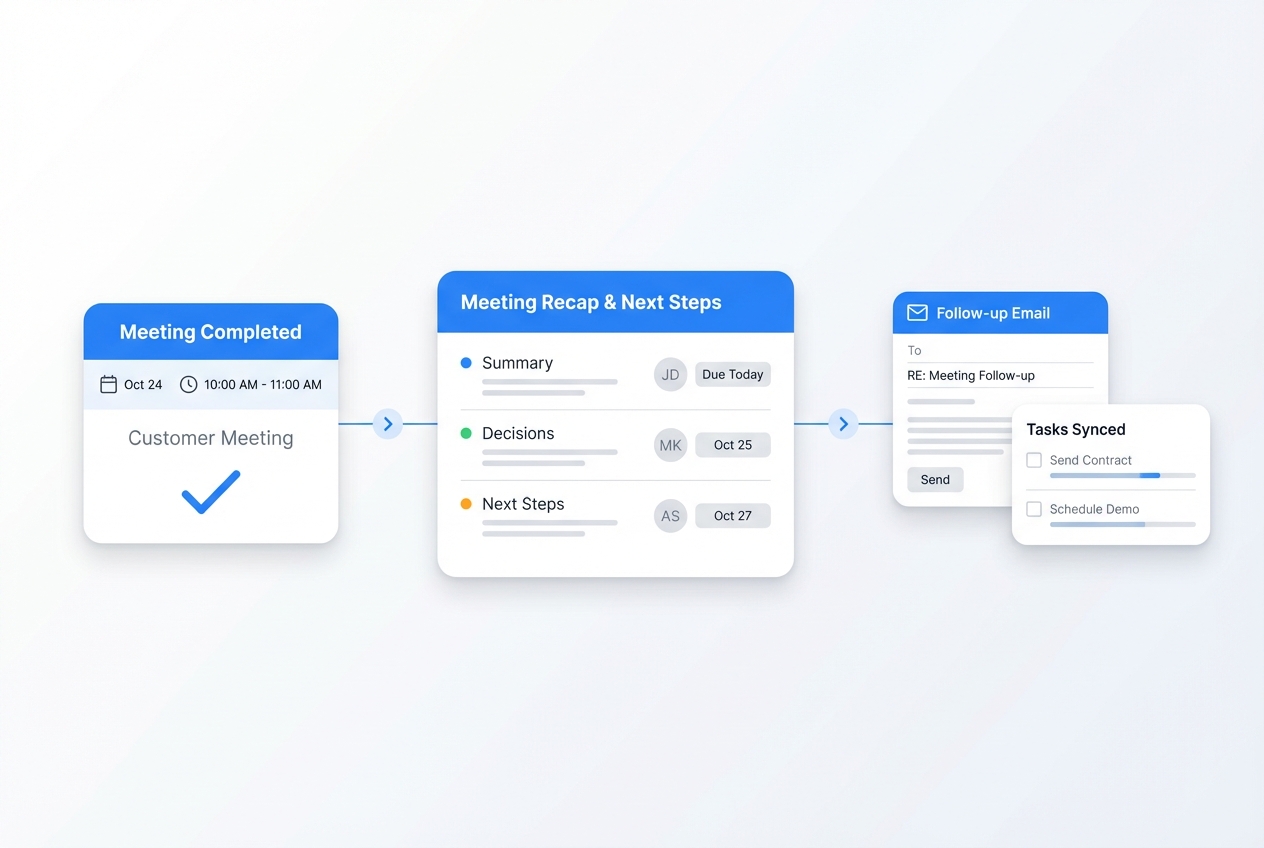
Meeting prep & recap in Outlook/Teams
Clones use Outlook calendars and Teams meetings to prepare short briefs (participants, past notes, key docs) and capture decisions and next steps. They file recaps in SharePoint and share concise summaries into the right Teams channels.
Task & workflow integration
Clones turn email and Teams requests into tasks in tools like Planner, Azure DevOps, Jira, or Asana. They sync status updates back into threads and hub pages, so people see work in progress without having to constantly ask for updates.
Your Microsoft 365 stack, connected
Microsoft 365 + CloneForce sits at the center of your collaboration environment. Clones work across Outlook, Teams, and SharePoint, and can also connect to CRM, PM, HR, and BI tools—pulling in context and pushing structured outputs back into your Microsoft 365 workflows.
Featured connections shown. Browse dozens more in the Skills Marketplace
Want to Learn More?
You have questions, we have answers. What can Digital Teammates do inside Microsoft 365 without disrupting how you work today?
Ready to connect Microsoft 365 with CloneForce?
See how Digital Teammates in Outlook, Teams, and SharePoint can keep your communications, meetings, and knowledge organized—without asking your teams to learn another tool.
Contact Us